
Everything you need to turn data into a report people finish.
Connect dashboards, CRMs, spreadsheets, and databases. Map them to a template. Write the story. Send it.
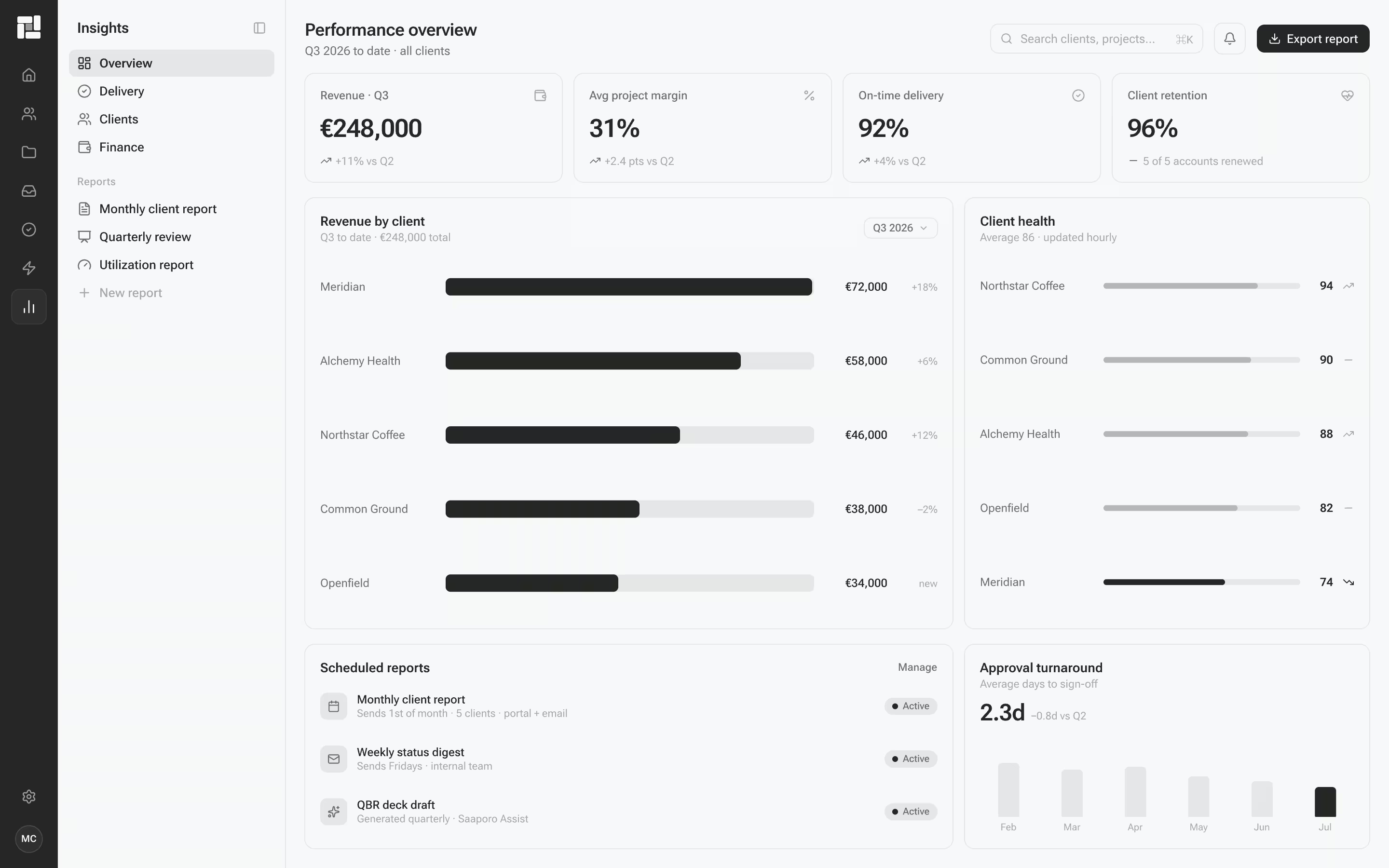
Keep every export tied to the template and the audience it is written for.
Turn proven weekly, board, and client templates into reusable story shapes.
Stakeholders get a written report, not another dashboard login.
See what changed, why it matters, and what to do next.
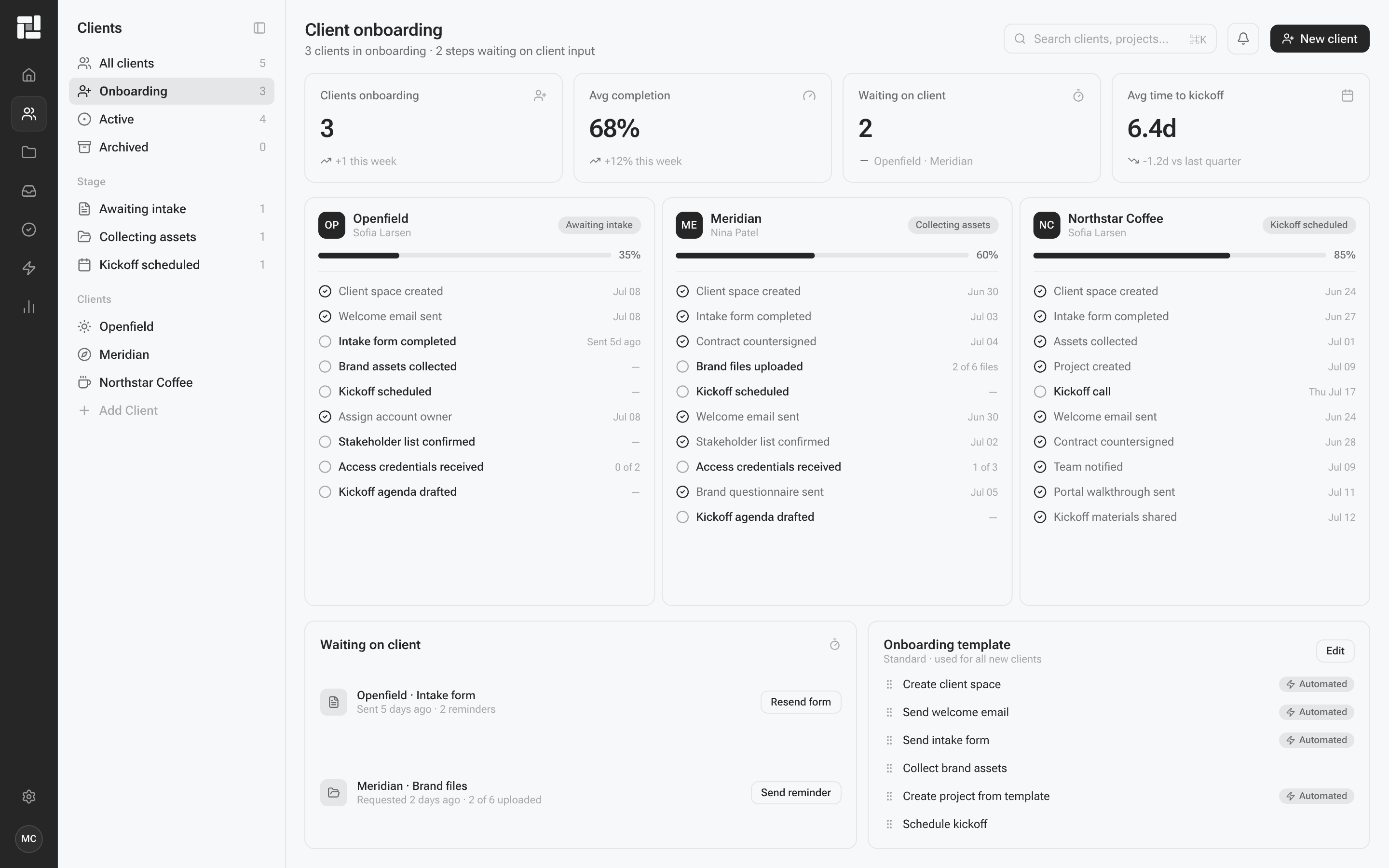
Start every report from data you already have.
- Map fields to the questions the report must answer
- Reusable field maps with the questions the report must answer
- File, credential, and source requests in one place
- Automatic drafts from proven templates
- Clear owners, deadlines, and review status
- Review tasks and internal handoffs created automatically
- Limited generations on Free, so you prove one workflow first
- A complete source record tied to the report
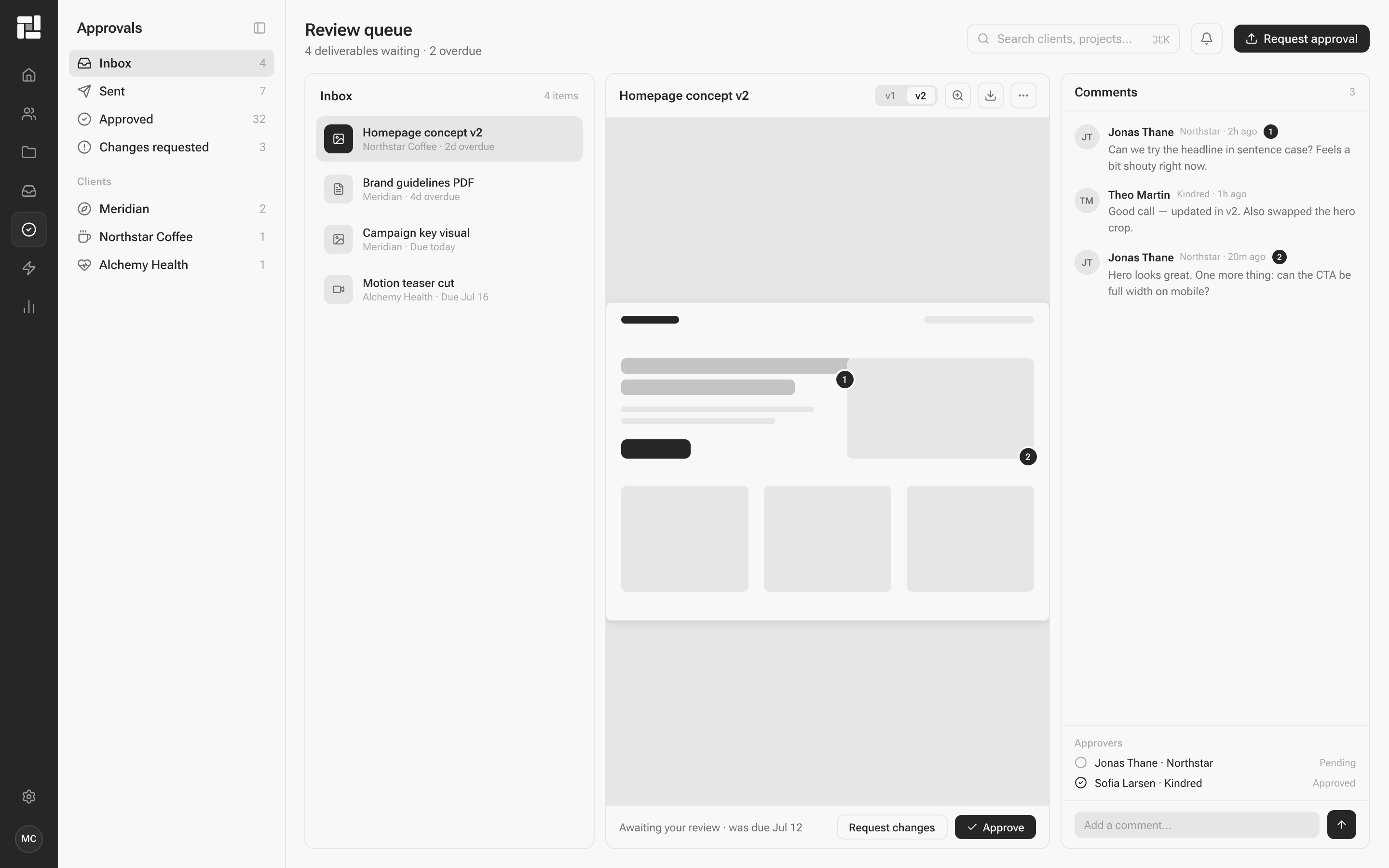
Keep drafts, comments, and approval in one review pass.
- Reports with drafts, comments, owners, and due dates
- List, board, and timeline views for every report
- Figures, notes, and source status tracked beside the draft
- Deliverable reviews with contextual comments and annotations
- Version history that keeps the latest work easy to find
- Named approvers, review deadlines, and clear approval states
- Revision requests and final sign-off stored permanently
- Internal comments stay on the draft until you mark it ready
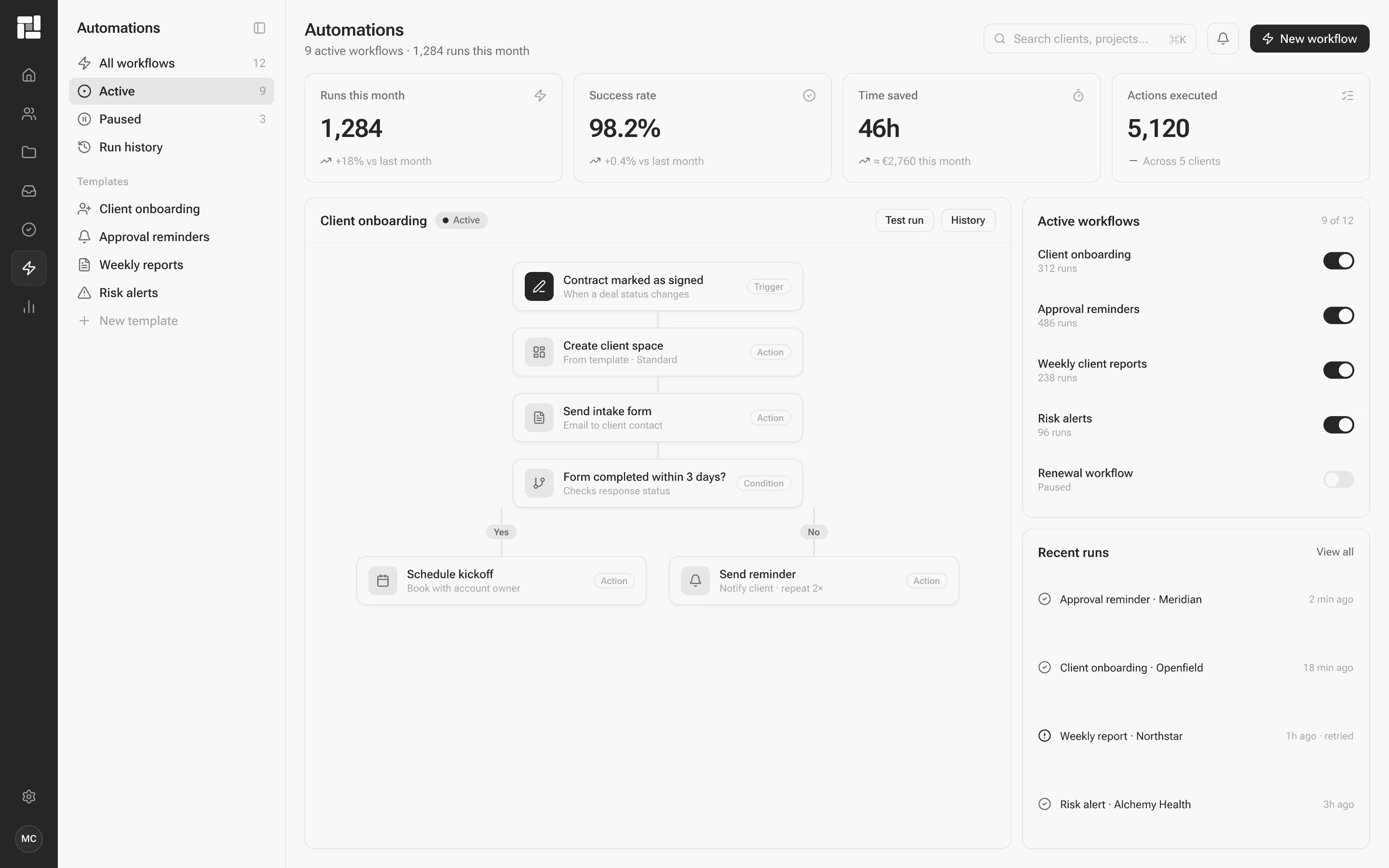
Automate the write-up, not another chart wall.
- Trigger-based workflows for drafts, review, and sends
- Scheduled reminders, updates, and approval follow-ups
- Reusable automation templates for repeatable reports
- Weekly, board, and client template shapes
- Alerts for delayed drafts, missing figures, and overdue review
- Seat, source, and send views for operators
- Narrative drafts from the source you mapped
- Plain language for the person who will actually read it
Questions about turning data into reports people finish.
Narrade turns data from dashboards, CRMs, spreadsheets, and databases into written narrative reports. It explains what happened, why it matters, and what to do next.
Dashboards show charts. Narrade writes the story a non-technical reader will finish. It does not replace your analytics tools; it translates their output.
Mid-level operators who already have the numbers and need a fast way to write for a boss, a client, or a board. Readers arrive wanting clarity, not a tutorial.
A written document shaped by a storytelling template: the facts, what they mean, and a recommended next step, in the voice of the audience you name.
Free proves the idea on one source and a limited number of reports. Team adds unlimited reports, more sources, and collaboration. Studio adds custom templates and priority support. Scale is for more seats and tighter control.
Yes. Free is $0, with no credit card, one data source, and a limited number of report generations each month.
Yes. Start on Free and move to a paid seat when you need more sources, unlimited reports, or team review.
Paid seats can bill monthly or annually. Annual lowers the per-month rate. See the pricing page for the amounts shown for each plan.
Connect one source you already use, pick a template, generate a report, and read it with the person it is for. Once that loop works, reuse the template.
Yes. Point Narrade at a dashboard, CRM, spreadsheet, or database. You stay responsible for the accuracy of what you input.
Dashboards, CRMs, spreadsheets, and databases. We do not list vendor names that are not live connections.
Paid seats can comment, request a rewrite, and approve a report before it goes out. Working drafts stay off the record until you send them.